What’s needed
Three things to have ready before you arrive.


-
Photo ID
A passport or national identity card is needed to verify your identity. Please remember to bring a physical copy of your identification. E-versions cannot be scanned during the check-in process.
-
Smartphone
To check in, to open the door to your room and to access information about the village where you are staying.
-
Lynra app
Download the Lynra app. You will get a direct link in the confirmation email that you receive when you book the accommodation.
Emails
What arrives in your inbox, and when.
-
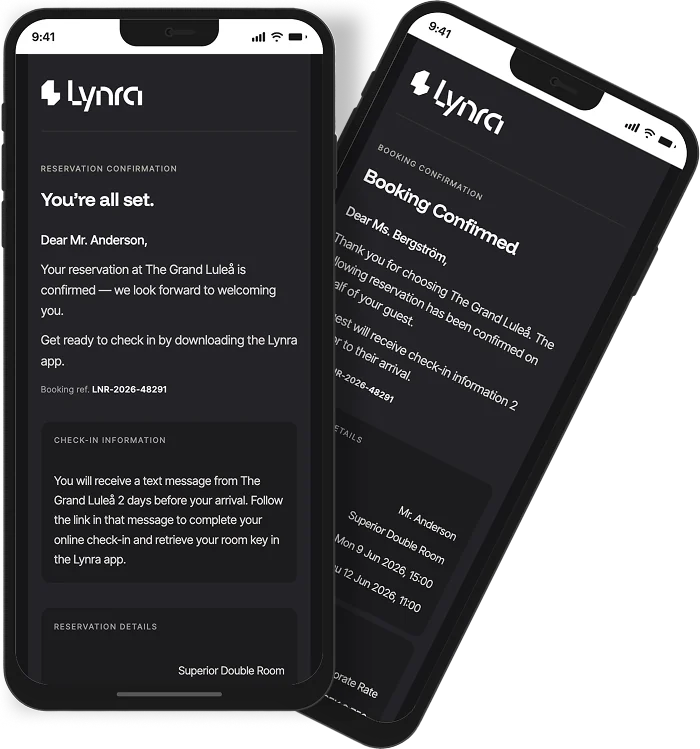
When you book
Confirmation
You will receive a confirmation email upon completing the booking. In that email, all the necessary info will be provided. All details of your stay plus a link to the app of the village. Please make sure that both you and your colleagues open the app and complete the online check-in before you arrive on site.
-
14 days before arrival
Online check-in
Two weeks before your arrival, you will receive a mail that encourages you to download the Lynra app and complete the check-in process.
-
2 days before arrival
Online check-in reminder
If you still have not checked in, two days before your arrival you will receive a check-in reminder email.
-
Arrival day
Room access
Room access is given in the afternoon on the arrival day. See your app for more information.
The app
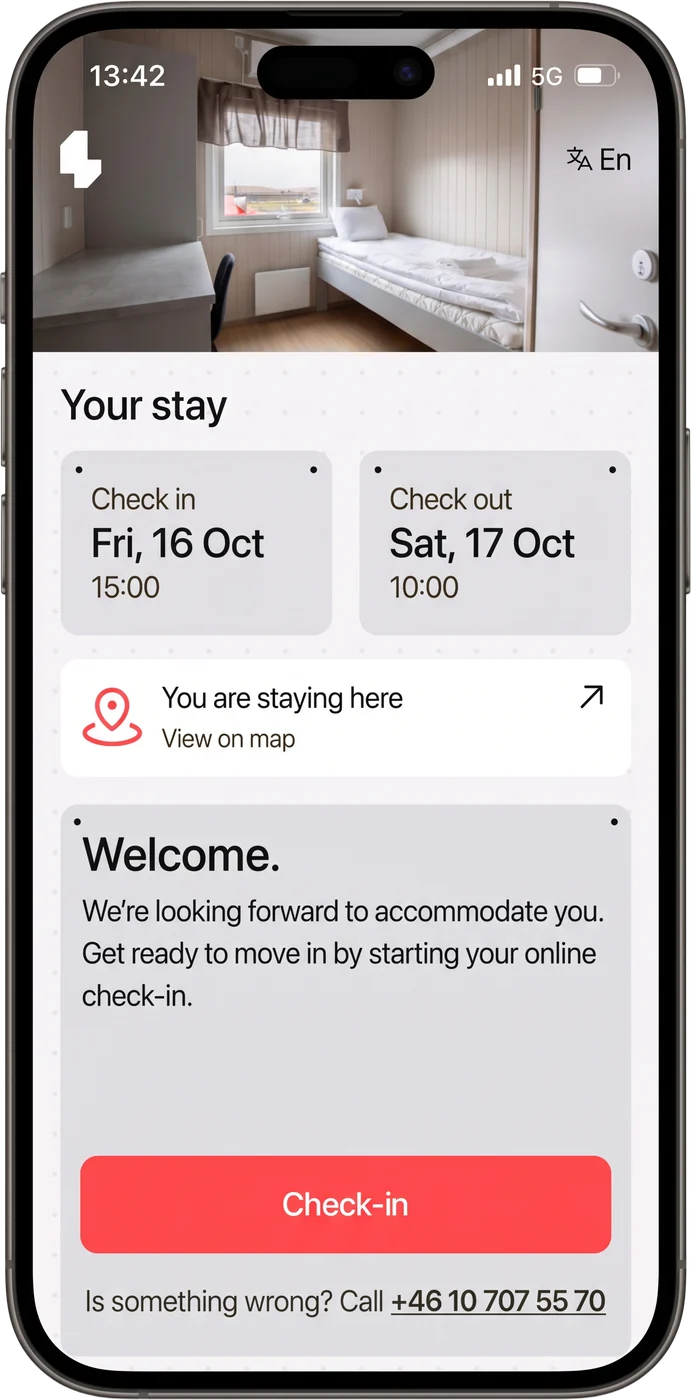
From activation to your digital key, in four steps.
-
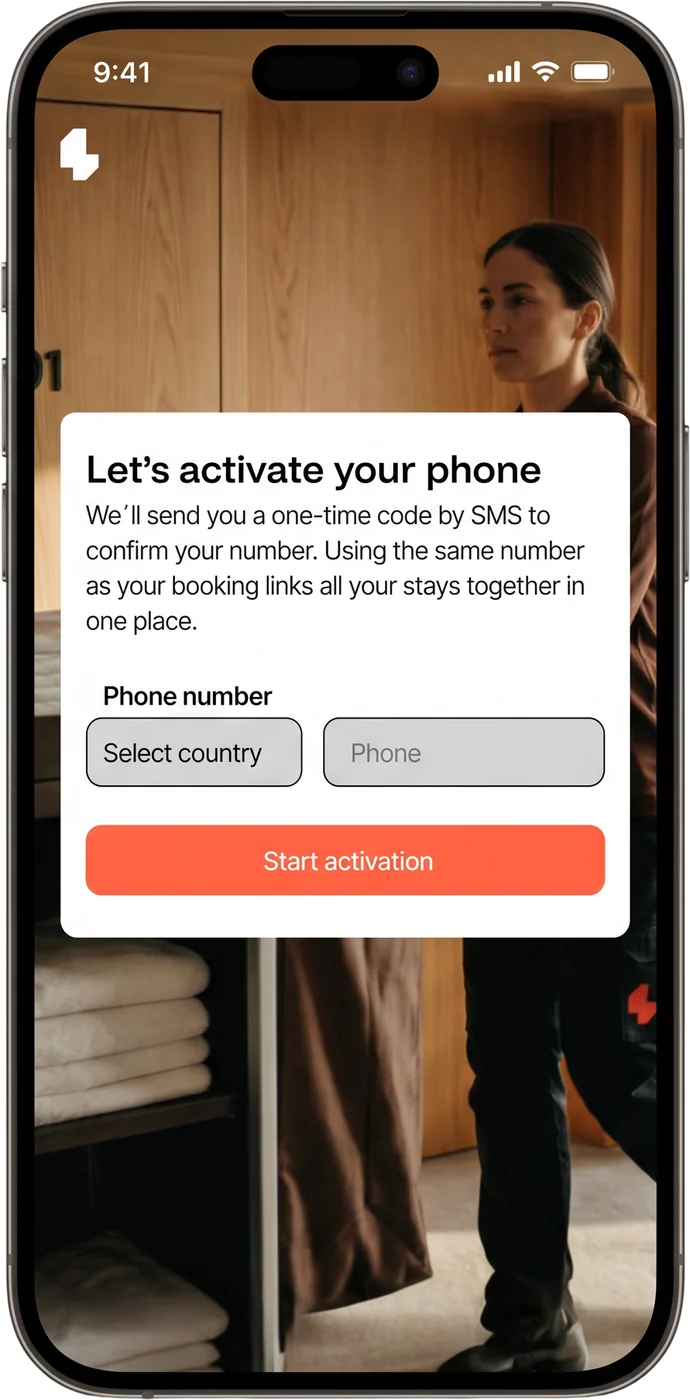
Activation
Activate the app by linking it with your phone number. Be sure to use the same phone number as you did when making the booking. An account can only be linked to one phone. If you have both a work and a private phone, decide which one you want to use for the app.
-
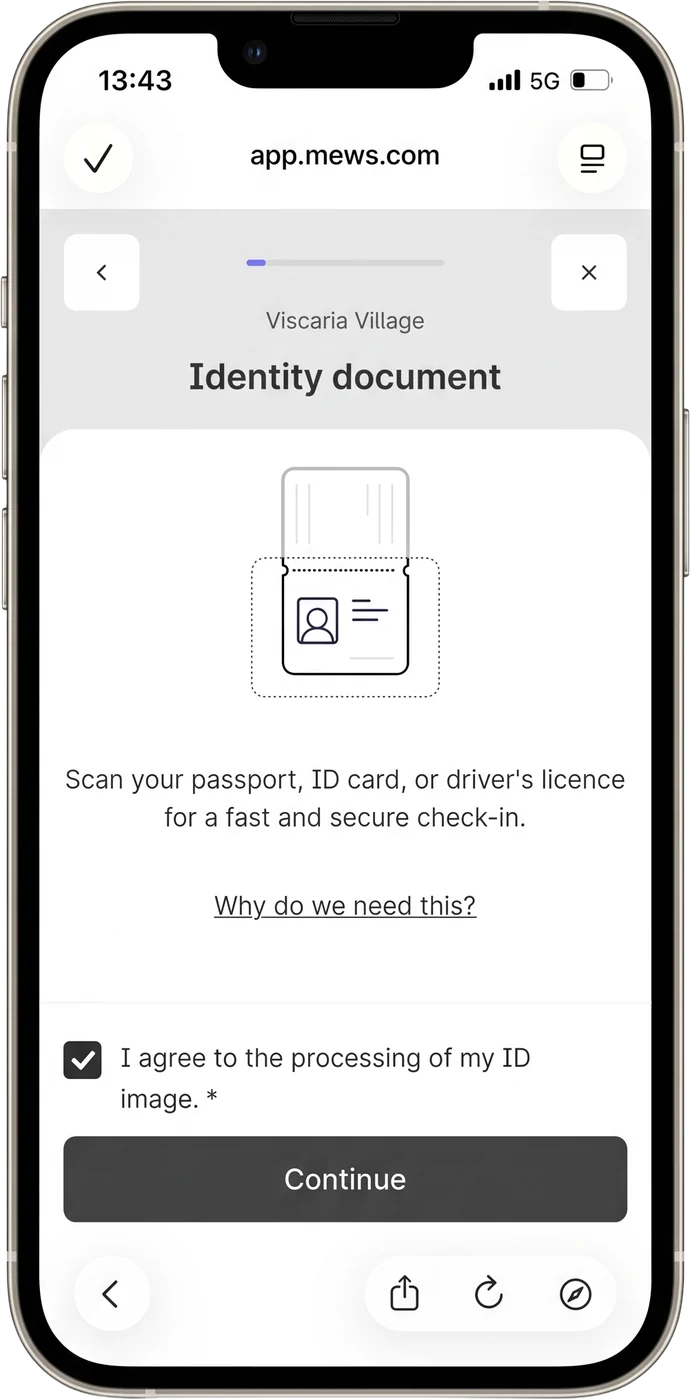
Check-in
Before you can gain access to your room you will need to check in. You can do this step as soon as you receive your confirmation email and we recommend you to do it before you arrive on site. To check in, you will need a physical copy of a photo ID for the phone to scan.
-
ID type
You must bring a physical ID to be able to complete the check-in. E-IDs are not scannable by the software. Due to technical issues we recommend you to bring either passports or national identity cards.
-
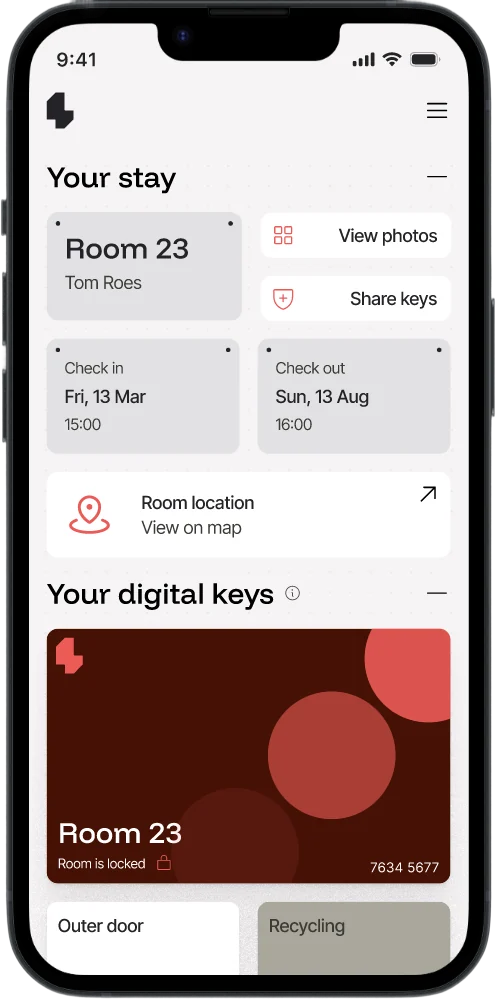
Dashboard
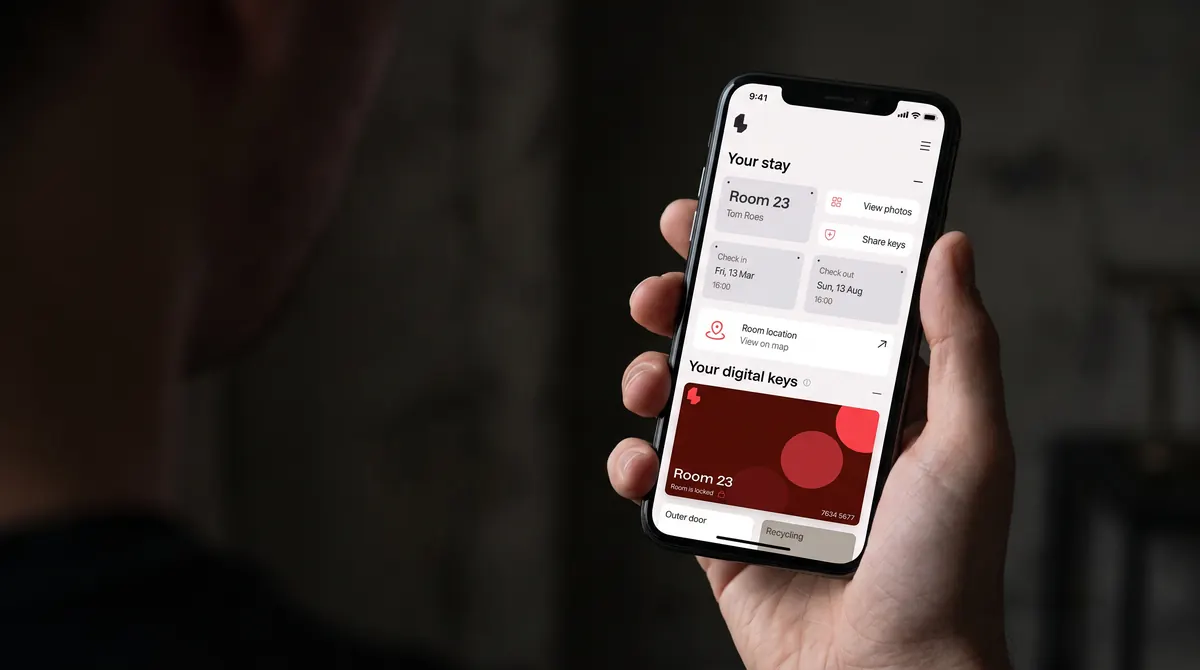
While staying at a Lynra village, the app is what you use to gain access to your apartment, to find information about your village and to locate your room upon arrival.
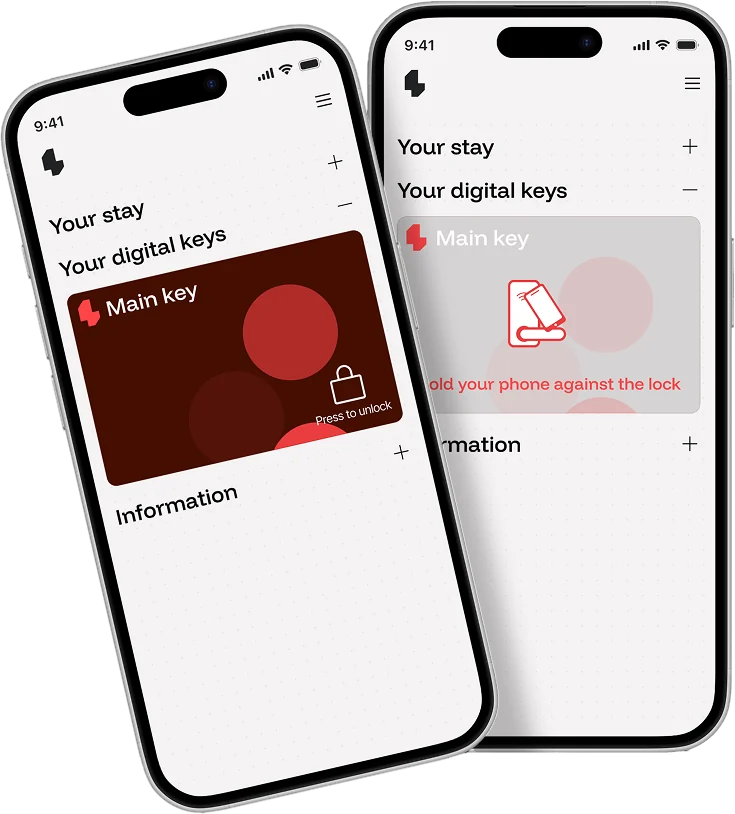
Access control
Your phone is your room key.
To open the door to your room, press the keycard and hold your phone against the lock. It should open after 3–5 seconds. The lock should give a green signal when connected and then the door will open.
Viscaria Village, Kiruna
The Viscaria exception
At Viscaria Village in Kiruna, you will retrieve your key from a Livion Keybox instead of locking and unlocking your room with the app. Find the Livion Keybox in the reception.